





Whether you’re renewing your residency, applying for a car loan, or just double-checking that everything is in order before a road trip, knowing your license is valid gives you real peace of mind.
This guide walks you through every current method for a driving license status check, an Abu Dhabi driving license check online, getting a UAE driving license copy online, tracking a UAE driving license application status check, and completing a driving license verification for official or international use.
Why Should You Check Your UAE Driving License Status Regularly?
It’s easy to assume your license is fine and forget about it until you’re stopped at a checkpoint or applying for a rental car. But licenses can lapse quietly, black points can accumulate from fines you didn’t notice, and in rare cases a file can be flagged or suspended without an obvious warning. A quick status check helps you catch:
- Expiry dates you may have lost track of, especially if you renewed your Emirates ID or visa at a different time than your license.
- Black points attached to unpaid or unresolved traffic fines, which can eventually trigger a suspension.
- Suspension or file restrictions tied to unresolved fines, court matters, or medical requirements.
Running this check takes a minute or two and can save you from a fine, a rejected rental agreement, or an awkward moment with traffic police.
How to Check Your UAE Driving License Status Online
How to Check UAE Driving License Status Online (Federal MOI Portal)
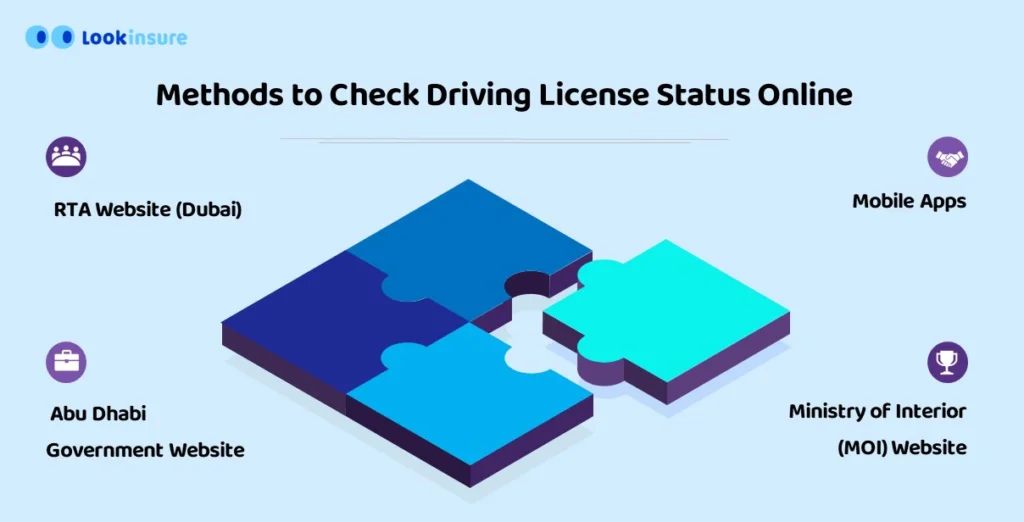
The fastest way to complete a UAE driving license status check or download a digital copy online is by logging into the official Ministry of Interior (MOI) app or Abu Dhabi’s TAMM portal using your UAE Pass, where your license validity and traffic file data are verified instantly within 1 minute.
The Ministry of Interior (MOI UAE) app and website act as the federal reference point for driving license services across the Northern Emirates (Sharjah, Ajman, Ras Al Khaimah, Fujairah, Umm Al Quwain) and are also useful for federal-level checks even if your license was issued elsewhere. Here’s how to run a driving licence status check:
- Log in with UAE Pass. Open the MOI UAE app or website and sign in using your UAE Pass Digital Identity — the same credential you use across most UAE government services.
- Go to Traffic Services. From the main menu, select the Traffic Services section, then choose Driving License Information.
- Enter your Traffic File Number. Input your license number or Traffic File Number to pull up your current status, validity, and any linked fines or restrictions.
If you recently applied for a new license or a category upgrade, this same section is where you’ll find your UAE driving license application status check — the portal shows whether your file is under review, awaiting a test, or ready for issuance.
Abu Dhabi Driving License Check Online via TAMM Portal
If your license was issued in Abu Dhabi, the MOI federal portal isn’t the right place — you’ll need TAMM, Abu Dhabi’s unified government services platform, or the Abu Dhabi Police Traffic Department’s own channels.
To complete an Abu Dhabi driving license check online:
- Go to the TAMM portal (tamm.abudhabi) and sign in with your UAE Pass.
- Open the “Manage Driving License” or “Get a Driving License” service journey, depending on whether you already hold a license or have an application in progress.
- Your license status, test results, or issuance stage will appear directly in the journey dashboard.
You can also verify a license through the Abu Dhabi Police Traffic Department portal by entering your Emirates ID or license number, which will show the license type, issue date, expiry date, and current status (active, suspended, or expired). This route is useful if you’d rather not log in through UAE Pass, though TAMM remains the primary channel Abu Dhabi has been consolidating services into.
Online driving license check in the UAE has never been easier. The government has streamlined this process for driving license validity check, allowing residents to access important information at their fingertips. Here are the main methods of how to check driving license details online to perform a UAE driving license validity check if you are driving in the UAE:
Online Driving License Check via RTA Dubai Portal
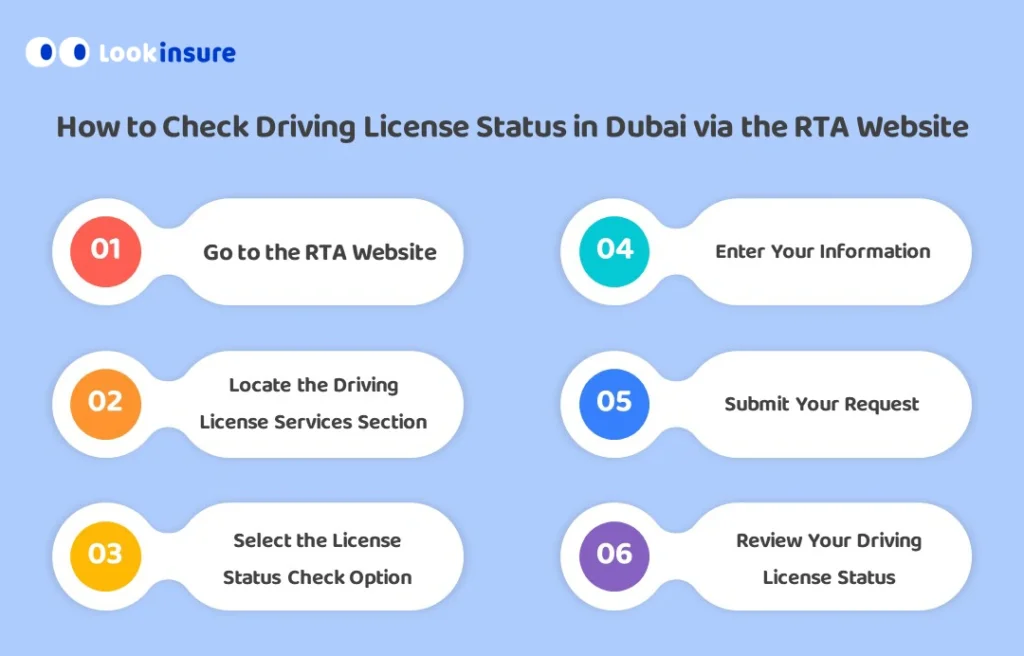
The RTA (Roads and Transport Authority) portal provides a streamlined process for a Dubai driving license check online. Follow these steps on how to check driving license details online:
Step 1: Visit the RTA Website
Open your browser and go to the official RTA website. Ensure you’re on the secure government portal.
Step 2: Select Driving License Services
On the homepage, navigate to the “Services” tab and choose “Driving License Services” from the dropdown menu.
Step 3: Choose “Check License Status”
Under Driving License Services, click the “License Status Check” option to proceed to driving license check online.
Step 4: Enter Required Details
Input your Dubai driving license number, Emirates ID, and date of birth. Double-check for accuracy.
Step 5: Submit and Review Status
Click “Submit” to instantly view your license validity, fines, and expiry date.
Pro Tip: Bookmark the RTA portal for future checks or renewals!
How to Get a UAE Driving License Copy Online (Digital License)
You no longer need to carry a physical card to prove you’re licensed. Both the MOI app and RTA-linked apps now support a fully digital driving license copy that traffic police accept as valid ID.
To get your UAE driving license copy online:
- Open the MOI UAE app (or your emirate-specific app, such as RTA Dubai for Dubai-issued licenses) and make sure you’re logged in through UAE Pass.
- Navigate to the “My Docs” or Wallet section of the app.
- Select your Digital Driving License Copy and, where supported, add it directly to your phone’s Apple Wallet or Google/Samsung Wallet for offline access.
This digital card mirrors both sides of your physical license and is treated as an official, legally recognized document by police across the UAE — you don’t need to print anything or carry the physical card as a backup, though many residents still keep one for situations like car rental counters that ask to see the physical card.
What to Do If Your License Is Expired or Suspended
Discovering your UAE driving license has expired or been suspended can be stressful, but taking swift action can resolve the issue. Below are clear steps to renew your license, clear fines, or appeal a suspension.
Step 1: Verify Your License Status
Before proceeding, confirm your license status with a UAE driving license check online using the RTA portal, MOI website, or ICP portal. This ensures you understand whether it’s expired, suspended, or flagged for fines.
Step 2: Renew Your License Online (If Expired)
- Log in to the RTA Dubai Portal (Dubai Residents):
- Visit RTA’s License Renewal Page, select “Renew Driving License,” and follow prompts.
- Use MOI/ICP Portal (Other Emirates):
- Navigate to “License Renewal” on the MOI portal or the ICP website.
- Upload Required Documents (see below).
- Pay Renewal Fees:
- Fees range from AED 300–700, depending on license type and validity.
Pro Tip: Renew your license 30 days before expiry to avoid late fees!\
Step 3: Clear Pending Fines (Mandatory)
You cannot renew a license with unpaid fines. Here’s how to resolve them:
- Check Fines Online:
- Use the MOI Fines Portal or RTA Dubai Fines Page.
- Pay Online:
- Credit/debit card via portals above.
- Pay Offline:
- Visit typing centers, police stations, or licensing offices.
Step 4: Appeal a License Suspension
If your license is suspended due to black points or legal issues:
- Visit the Traffic Court:
- Dubai: Al Barsha Traffic Court.
- Abu Dhabi: Judicial Department on Zayed the First Street.
- Submit an Appeal:
- Provide evidence (e.g., medical reports for medical suspensions).
- Attend a Hearing:
- Present your case to a judge.
- Pay Reinstatement Fees:
- AED 1,000–3,000, depending on the suspension cause.
Note: Suspensions for severe violations (e.g., DUIs) may require legal assistance.
Need Assistance with Insurance in the UAE?
Buy car insurance in UAE through Lookinsure to ensure your policy stays valid during license updates!
Driving License Verification for Companies and International Use
Employers, car rental companies, and insurers sometimes need to confirm a license is genuine and in good standing before handing over a set of keys or approving a hire.
For this kind of driving license verification, the same MOI, TAMM, or RTA portals used for personal checks apply. A company can:
- Ask the license holder to share their status screen or digital copy directly.
- Request a written confirmation from the issuing authority in some cases.
If you need your license recognized outside the UAE — for a foreign visa application, an international car rental, or a legal matter abroad — you’ll typically need a Traffic Profile Certificate. This is an official document confirming your license history and current status.
You can usually request it through the same portal that issued your license (MOI, TAMM, or RTA). It’s often required to be translated and attested before it’s accepted internationally.
Comparison of UAE Driving License Check Platforms 2026
| Platform / App Name | Target Emirate | Required Document / Login | Key Feature |
|---|---|---|---|
| MOI UAE (App & Web) | Federal / Northern Emirates | UAE Pass or Traffic File Number | Status check, application tracking, digital license in Wallet |
| TAMM Portal (منصة تم) | Abu Dhabi | UAE Pass | Full license journey tracking (test results, issuance, renewal) |
| Abu Dhabi Police Traffic Services | Abu Dhabi | Emirates ID or license number | Quick status lookup without full portal login |
| RTA Dubai (App & Web) | Dubai | UAE Pass or RTA account | Status check, digital license in Apple/Samsung Wallet, fine payment |
| EVG (Emirates Vehicle Gate) | All Emirates except Dubai & Abu Dhabi | License number, DOB, nationality | Cross-emirate lookup for licenses outside Dubai/Abu Dhabi |
Frequently Answered Questions
1. What if my UAE driving license is expired or suspended??
Renewal: Pay fines, submit an eye test, and renew via RTA/MOI portals or service centers (AED 300 + AED 10/month late fee) 41014.
Suspension Appeal: Visit traffic courts (e.g., Dubai’s Al Barsha Traffic Court) with supporting documents.
2. Is a digital copy of a UAE driving license valid if pulled over by police?
Yes. The digital driving license shown in the MOI app, RTA app, or saved to your phone’s Wallet through UAE Pass is treated as a fully valid, legally recognized document across the UAE. Traffic police accept it the same way they would a physical card.
3. Can I drive with my old license while waiting for the new one?
You cannot drive with an expired license. You must wait until your new license is issued.
4. What documents are needed for a Dubai driving license check online?
Emirates ID (original or copy)
Driving license number
Passport copy (for expats)
5. Is a UAE driving license valid after visa cancellation?
Yes, for 30 days. After this, it becomes invalid. Update your residency status to renew 411.
6. How can I check my Abu Dhabi driving license status without UAE Pass?
You can use the Abu Dhabi Police Traffic Department’s lookup tool, which only requires your Emirates ID or license number rather than a full UAE Pass login. This gives you the license type, issue and expiry dates, and current status without needing to sign into TAMM.





Comments (0)
Leave a comment