




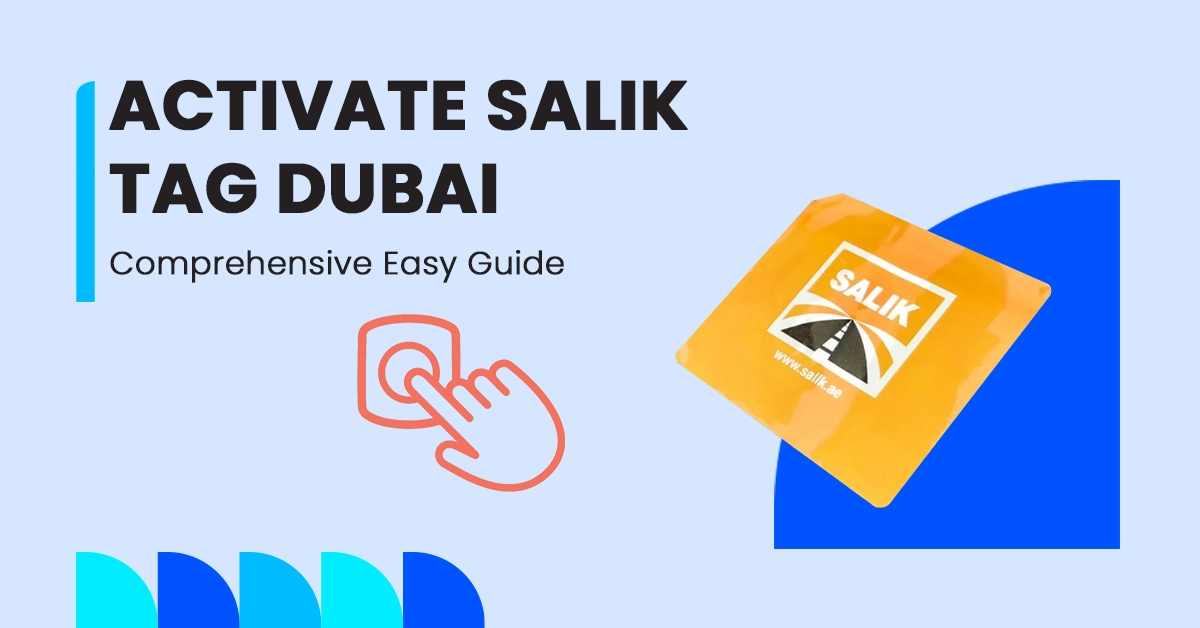
Driving on Dubai’s toll roads without an active Salik tag is one of the fastest ways to rack up avoidable fines. The good news: once you have a tag in hand, Salik activation online takes only a few minutes if you have the right details ready. This guide walks through where to buy a Salik tag, the exact steps to activate it, and what to do once it’s installed and running.
Where to Buy a Salik Tag in Dubai?
Before you can activate anything, you need a physical tag. In Dubai, Salik tags are widely available and inexpensive, so getting one is rarely the hard part.
You can pick up a Salik tag from:
- Petrol stations — ADNOC, EPPCO, and ENOC stations across Dubai stock Salik tags at their service counters.
- RTA Customer Happiness Centres and Salik Smart Service Centres — useful if you’d rather get help in person.
- Selected supermarkets and retail outlets displaying the Salik sign.
- Online, through the official Salik website or the Smart Salik app, with home delivery.
Buying in person or at a petrol station typically costs AED 100 (AED 50 for the tag itself plus AED 50 in prepaid toll credit). Ordering online usually costs a bit more, closer to AED 120–125, once a small delivery fee is added. Keep in mind that from 1 June 2026, a 5% VAT applies on top of tag and toll charges, so budget slightly above these figures.
Whichever route you choose, hold onto the tag packaging — the tag number and activation key printed on it are what you’ll need in the next step.
Step-by-Step Guide for Salik Card Activation Online
The fastest way to get your Salik tag working is Salik activation online through the official Salik website or the Smart Salik app. With your tag number and the 4-digit activation key on hand, the whole process usually takes less than five minutes.
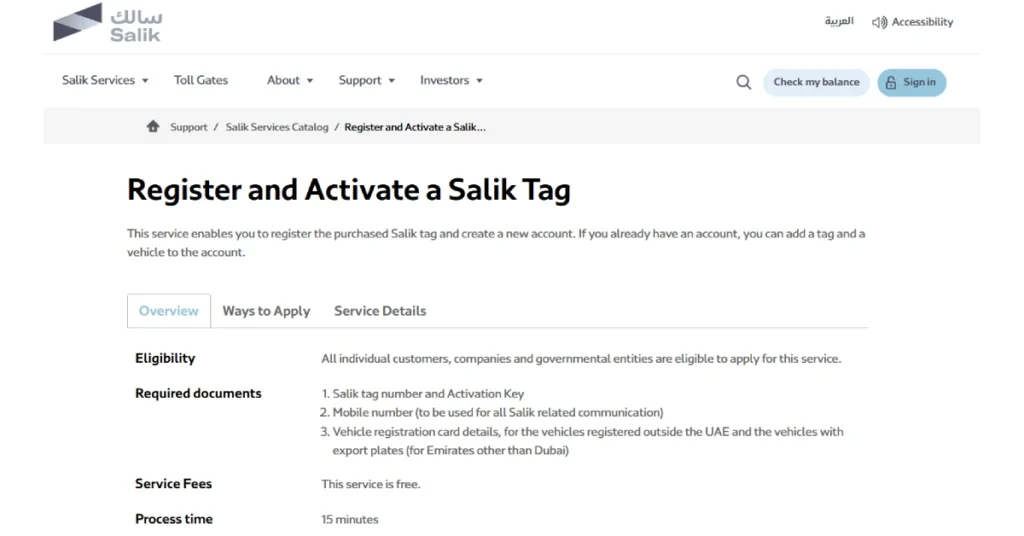
1. How to Activate Salik Tag via Official Salik Website
- Go to the official Salik website and sign in to your account, or register if you’re a first-time user.
- From the services menu, select Activate a Tag.
- Enter your tag number (printed on the tag) and your activation key.
- Add your vehicle details: plate number, plate category, and registration (Mulkiya) information.
- Confirm your mobile number and email so Salik can send activation confirmation.
- Submit the request. You’ll typically get an SMS or email confirming activation within a short time, often almost instantly.
2. Salik Activation and Registration via Smart Salik App
- Download the Smart Salik app for Android or iOS.
- Log in or create a new account.
- Tap Tag Activation from the dashboard.
- Enter your tag number and activation key, then select or add your vehicle.
- Review the details and submit — the app is generally the quickest option since it activates the tag while you’re still standing at the petrol station.
3. Activating Salik Tag via RTA Dubai Portal
- Log in to the RTA Dubai app or portal using your account or UAE Pass.
- Navigate to Salik Services and choose Tag Activation.
- Enter your tag number, activation key, and vehicle details, then confirm.
- This option is handy if you’d rather manage Salik alongside other RTA services (fines, registration renewals) in one place, since it links directly to your traffic file.
Whichever platform you use, double-check your plate number and vehicle type before submitting — a mismatch is the most common reason activation gets delayed.
After your tag is activated, you can also use the Salik recharge by plate number option to top up your account quickly without relying on your tag number, making future toll payments easier to manage.
What is the Salik Activation Key & Where to Find It?
The activation key is a short numeric code — usually 4 digits — that proves you’re the rightful owner of the tag, separate from the longer tag number itself. Together, the tag number and activation key are what any activation channel (website, app, or call centre) will ask for.
You’ll find both printed on the tag packaging:
- Salik tag number: a longer serial number on the tag itself or its box.
- Activation key: a short code, often hidden under a scratch-off panel on the packaging.
If the scratch panel is damaged or the key is unreadable, don’t try to guess it — contact Salik customer service or visit a Customer Happiness Centre with your tag and ID, and they can verify and activate it manually.
How to Correctly Install Your Salik Tag on the Windshield
Even a fully activated tag won’t register at toll gates if it’s installed incorrectly. For accurate detection:
- Stick the tag on the inside of the front windshield, directly behind the rearview mirror.
- Keep it within the designated sensor strip area (usually marked or recommended in the tag instructions) so the toll gate scanner has a clear line of sight.
- Avoid tinted areas of the glass, metallic stickers, or anything that could block the signal.
- Don’t remove and reattach the tag repeatedly — the adhesive is designed for a single, permanent placement, and constant repositioning can weaken the tag’s response.
A correctly placed tag should register reliably every time you pass a gate. If deductions stop showing up in your account after a few crossings, that’s usually a sign the tag needs to be checked or reactivated.
Salik Toll Gates Fees and Fines Comparison Table 2026
| Gate Name / Action | Fee / Fine Amount | Grace Period | Requirement |
|---|---|---|---|
| Standard toll crossing (off-peak) | AED 4 per gate | — | Active, sufficiently funded tag |
| Toll crossing (peak hours, 6–10 AM & 4–8 PM) | AED 6 per gate | — | Active, sufficiently funded tag |
| Daily cap per gate, per vehicle | AED 24 | — | Applies regardless of number of crossings |
| Insufficient balance at crossing | AED 50 fine | 5 working days to top up | Recharge before grace period ends |
| Crossing with no registered/activated tag (1st offense) | AED 100 fine | 10 working days to activate/register | Activate tag via website, app, or call centre |
| Crossing with no registered/activated tag (2nd offense) | AED 200 fine | 10 working days | Same as above |
| Crossing with no registered/activated tag (3rd+ offense) | AED 400 fine | 10 working days | Same as above |
| Tampering with or damaging a tag/toll device | AED 10,000 fine | — | N/A |
Note: fees and fines are set by the RTA and Salik and can change; always confirm current rates on the official Salik website before relying on these figures for a specific trip or attempting to recharge your Salik account.
Documents Required to Activate Salik Tag
To register Salik tags, you must provide a series of documents to finalize the process successfully. These documents help verify the vehicle owner’s identity and the car’s details. The required documents include:
| 1 | A copy of the vehicle registration (Mulkiya) for the car being registered. |
| 2 | A copy of the Emirates ID of the vehicle owner. |
| 3 | For Salik registration for company cars, an authorization letter from the company is necessary. |
| 4 | Payment method details for the purchase of the tag and any future toll charges. |
If you choose Salik tag activation online, ensure all documents are up-to-date and in digital form. Having these documents ready will speed up the new Salik registration process.
Salik Registration Terms and Conditions
Salik registration and tag activation are carried out under the terms and conditions set by the RTA at Abu Dhabi Salik. These terms ensure that the Salik system runs smoothly and that all users comply with the rules. Here are some key points:
- The Salik tag activation online process requires proper windshield attachment.
- The vehicle owner is responsible for maintaining a sufficient balance in their Salik account to cover toll charges.
- The tag is linked to a specific vehicle and cannot be transferred without re-registering.
- Users must keep their account information up-to-date and report any issues with the tag immediately.
Get Car Insurance Online Along with Salik Registration
If you have recently arrived in the UAE and are in the early stages of preparing to buy a car, Salik is not the only mandatory step. You can easily purchase car insurance Dubai Online to drive on UAE roads. Fortunately, online aggregator platforms are here to simplify the process of buying insurance, as they allow you to get instant personalized quotes and register for insurance online in a few minutes.
Final words
This guide reflects publicly available Salik and RTA information as of 2026. Fees, fines, and activation steps are subject to change by Salik and the Roads and Transport Authority (RTA), so always verify current details on the official Salik website (salik.ae) before completing your activation.
Frequently Answered Questions
1. How to activate Salik tag online UAE?
To activate your Salik tag online, visit the official Salik website or use the Salik mobile app. Log in to your account, enter your tag number and vehicle details, and follow the instructions to complete the activation. Once done, attach the tag to your vehicle’s windshield.
2. Can I drive in Dubai without a Salik tag?
No, driving in Dubai without a Salik tag is not allowed. If you pass through toll gates without a tag, you will incur fines. Having an active Salik tag is essential for compliance and avoiding penalties.
3. Do I need to put a Salik sticker on my car?
Yes, you must place the Salik sticker on your windshield. This electronic tag allows the system to detect your vehicle at toll gates and process payments automatically. Ensure it’s correctly placed for proper detection.
4. Where can I get a Salik tag?
You can get a Salik tag from the official Salik website, the Salik mobile app, RTA customer service centers, and selected petrol stations. Have your vehicle details ready when purchasing, and follow the activation steps once you receive the tag.
5. Can I use one Salik tag for two cars?
No. Each Salik tag is registered to a single vehicle and plate number and cannot be transferred or shared between cars. If you get a new vehicle, you’ll need a separate tag activated for that plate.
6. How long does it take to activate a Salik tag?
Once you submit your tag number, activation key, and vehicle details through the website, app, or RTA portal, activation is usually near-instant to a few hours. Salik generally recommends allowing the confirmation SMS or email to arrive before your first toll crossing.




Comments (0)
Leave a comment